Managing Credentials
Credentials are the connection between Kostavo and your Databricks environment. This guide covers the day-two work: keeping them valid, rotating secrets, and diagnosing failures.
For creating a credential the first time, see Azure service principal or AWS credentials.
The Credentials Page
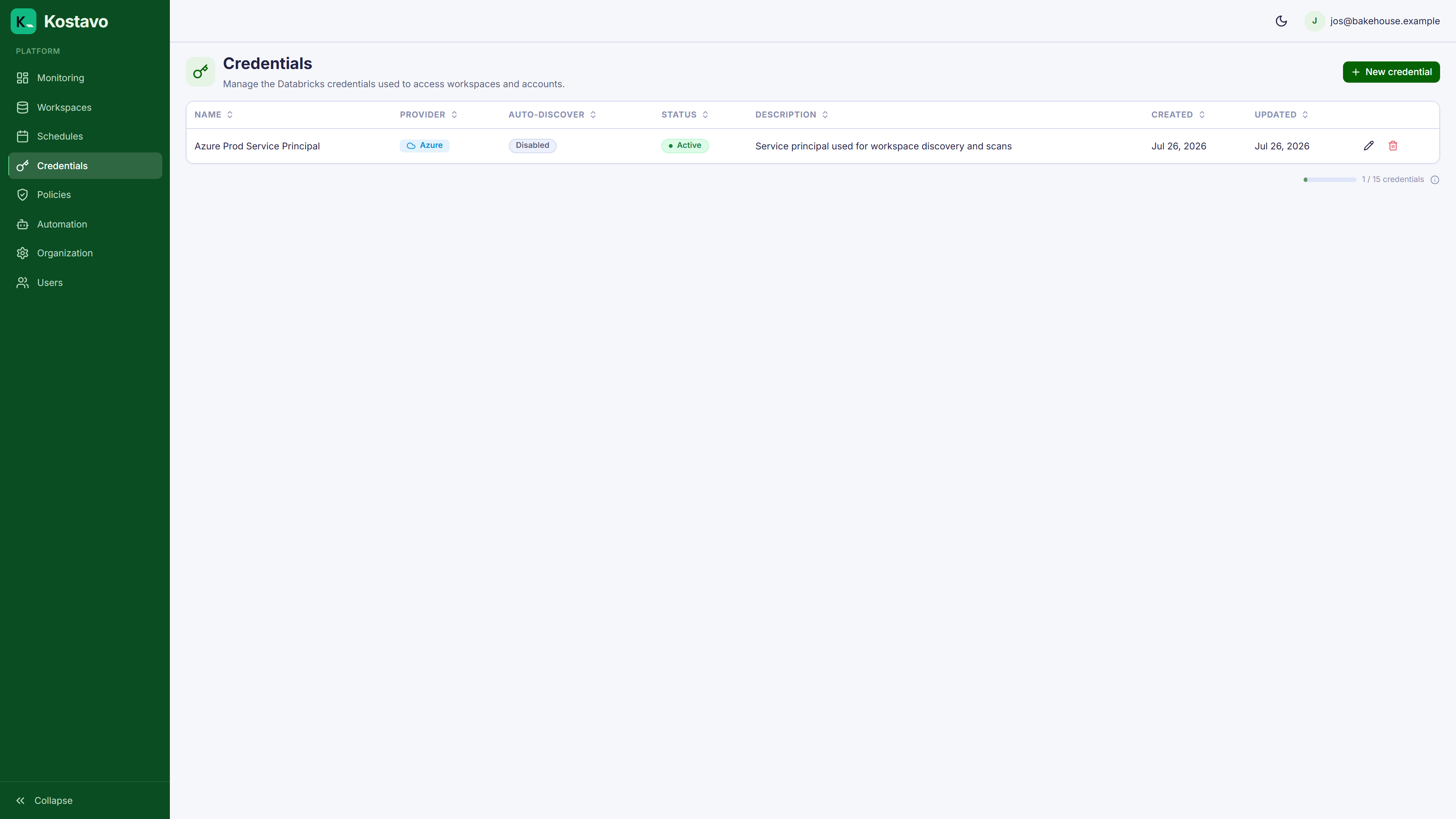
Credentials lists every credential with its cloud provider, auto-discovery setting, and status. The New credential button disappears when you reach your plan's credential limit.
Editing a Credential
Open Edit on a credential to change its metadata or rotate secrets:
| Field | Notes |
|---|---|
| Name, Description | Safe to change any time |
| Client/Principal ID, Tenant ID | Changing these effectively points the credential at a different identity |
| Secret | Leave blank to keep the stored secret; enter a value to replace it |
Key point: secrets are write-only. Kostavo never displays a stored secret, so keep your own record of where each secret lives (Azure App Registration, Databricks account console).
Rotating a Secret
Secrets expire. Rotate without downtime:
- Create the new secret at the provider (Azure App Registration or Databricks account console)
- Edit the credential in Kostavo and paste the new secret value
- Save. The new secret is used from the next scan and sync onward.
- Once scans keep succeeding, revoke the old secret at the provider
Do it in this order. Revoking the old secret first takes every workspace on the credential offline until you finish.
When Scans Start Failing
Credentials are not re-tested when you save them; a bad secret or revoked role shows up as failing scans on the workspaces that use the credential. To diagnose:
- Open the affected workspace's detail page and check its recent execution history
- Confirm the secret is still valid at the provider (expiry dates live there, not in Kostavo)
- Compare the error against the troubleshooting reference
Deleting a Credential
A credential that is still used by workspaces cannot be deleted; the delete fails and tells you how many workspaces reference it. Reassign those workspaces to another credential first, then delete.
Common Errors
| Symptom | Likely Cause |
|---|---|
| Workspace discovery finds nothing right after creation | Wrong secret value (Azure: secret ID pasted instead of secret value), or role assignment not yet propagated |
| Auto-discovery finds nothing on a working credential | Role assigned at resource-group scope instead of subscription scope |
| Workspaces go offline after months of working | Expired secret. Rotate it. |
| Some workspaces scan, others fail | The service principal lacks admin access on the failing workspaces |
Related
- Guide: Azure service principal
- Guide: AWS credentials
- Reference: Troubleshooting