Introduction
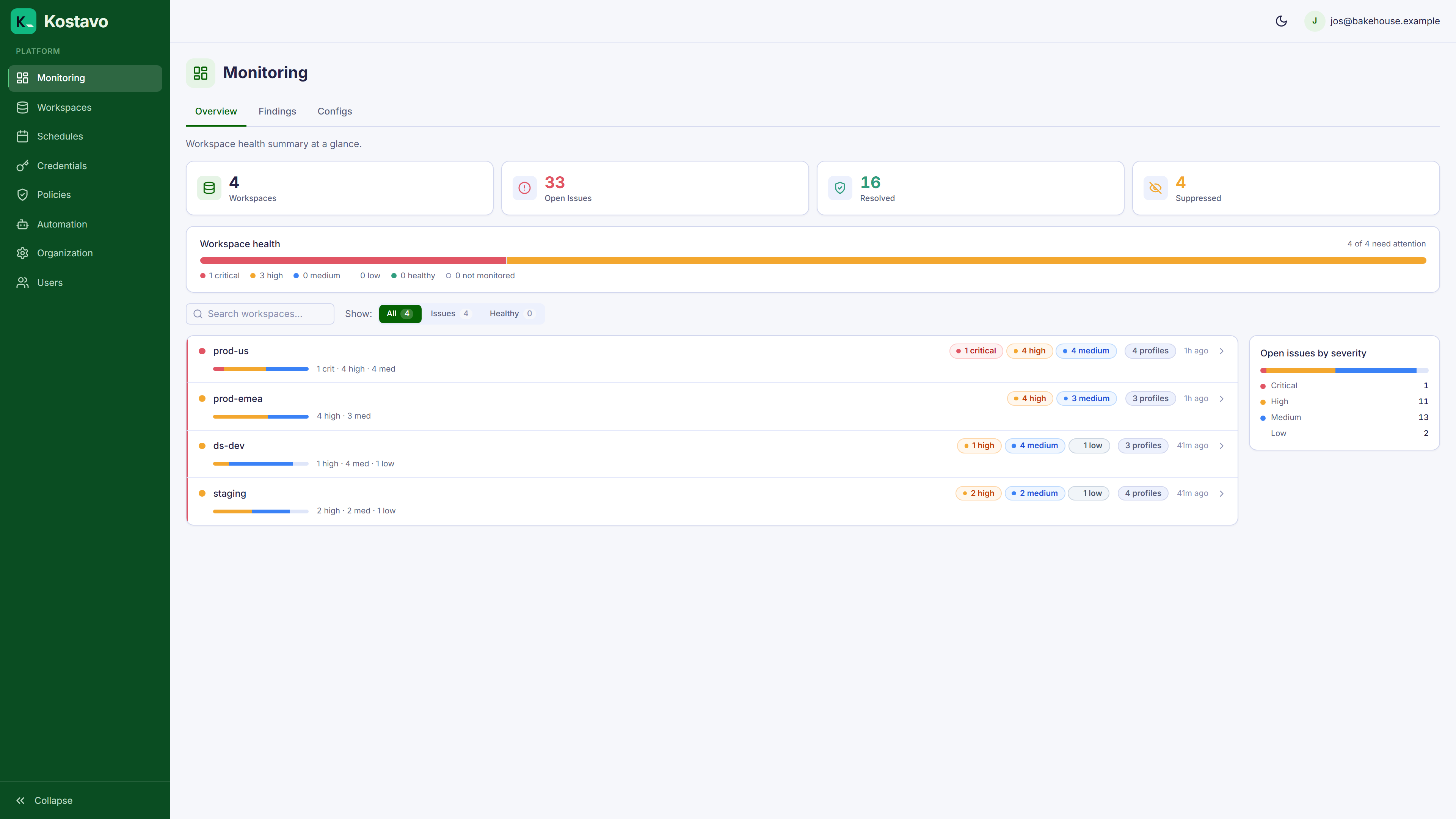
Kostavo is an automated governance platform for Databricks. It continuously monitors your Databricks workspaces for security risks, cost waste, and compliance violations, then takes action based on your rules.
Where to Go Next
- New to Kostavo? Follow Your first 30 minutes from empty organization to first findings.
- Want to accomplish something specific? The guides are task-oriented walkthroughs, from credentials to a fully automated weekend shutdown.
- Want to understand the model? The concepts below and their dedicated pages explain how profiles, assignments, findings, and schedules fit together.
- Looking something up? The reference section has the policy catalog, action modes, the security model, and settings pages.
Core Concepts
Policy Profiles
A policy profile is a collection of resource policies and configuration policies with configured action modes and severity levels. You create profiles to define what to monitor and how to respond.
Resource policies scan individual Databricks resources. Each has:
- Policy type: what to detect (e.g.
cluster_no_autotermination,warehouse_running) - Action mode: what to do when an issue is found: Notify, Fix, or Remove
- Severity: how critical the finding is: critical, high, medium, or low
Configuration policies compare workspace-level settings against a defined baseline, such as preview feature enablement, serverless settings, or security configurations. Any deviation is flagged as a finding.
Kostavo ships with 9 pre-built templates (dev sandbox, production monitoring, security baseline, etc.) that you can use as-is or customize. The full list of policies is in the policy catalog.
Workspaces
A workspace represents a Databricks workspace connected to Kostavo via a credential. Workspaces are discovered automatically from your cloud account or added manually.
Assignments
An assignment links a policy profile to a workspace. When assigned, Kostavo runs the profile's policies against that workspace on every scan cycle. Assignments can optionally include a schedule.
Schedules
A schedule defines time windows during which automated actions (Fix, Remove) are suppressed. Policies always run regardless of the schedule; only the actions are affected.
For example, a "Business Hours" schedule (Mon–Fri 9am–6pm) prevents Kostavo from terminating clusters or removing resources while your team is working. Findings are still detected and recorded.
Findings
A finding is a non-compliant resource detected by a policy. Findings have a lifecycle:
- Open: issue detected and active
- Resolved: issue no longer detected after consecutive misses
- Suppressed: you chose to ignore it; still recorded, never acted on
Findings are deduplicated automatically so the same resource isn't flagged repeatedly.
How Policies Run
- Kostavo triggers a scan cycle at your configured frequency
- For each active assignment (profile + workspace), Kostavo evaluates whether the schedule is active
- Each enabled policy in the profile runs against the workspace
- Issues found become findings: new findings open, recurring findings increment, missing findings count toward auto-resolve
- If the schedule is not active, actions (Fix/Remove) are applied. If the schedule is active, actions are skipped but findings are still recorded
- Notifications are sent based on your channel configuration (digest or immediate)
Scan Frequency
Scan frequency depends on your subscription tier (see Billing and tiers). Policies run automatically on this interval; no manual trigger is needed.