Configuration Drift
Resource policies look at individual resources. Configuration policies look at the workspace itself: its settings, feature flags, and security switches, compared against a baseline you define. Any deviation is drift, and drift becomes a finding.
This matters because workspace settings change quietly. Someone enables a preview feature in one workspace, disables IP access lists in another, and six months later no two workspaces behave alike. Drift detection turns "our workspaces are configured consistently" from an assumption into a monitored fact.
Baselines
A configuration profile is a baseline: a set of workspace settings with expected values and a severity per setting.
Two ways to define one:
From a reference workspace. Pick your best-configured workspace as the anchor. Kostavo captures its current settings as the baseline everything else is measured against.
Manually. Set each value by hand. Use this when no single workspace matches your desired state.
Settings you can track include security switches (IP access lists, token configuration, audit logging), feature enablement (web terminal, DBFS file browser), and operational limits (token lifetimes).
How Drift Is Detected
- On every scan cycle, Kostavo reads the actual settings of each workspace the profile is assigned to
- Each setting is compared against the baseline value
- A mismatch produces a drift finding at that setting's severity
- When the setting returns to the baseline value, the finding auto-resolves like any other (findings lifecycle)
Configuration profiles ride the same machinery as resource profiles: they are assigned to workspaces, and their findings appear in the same findings list, filterable by type Config.
The Settings Compliance View
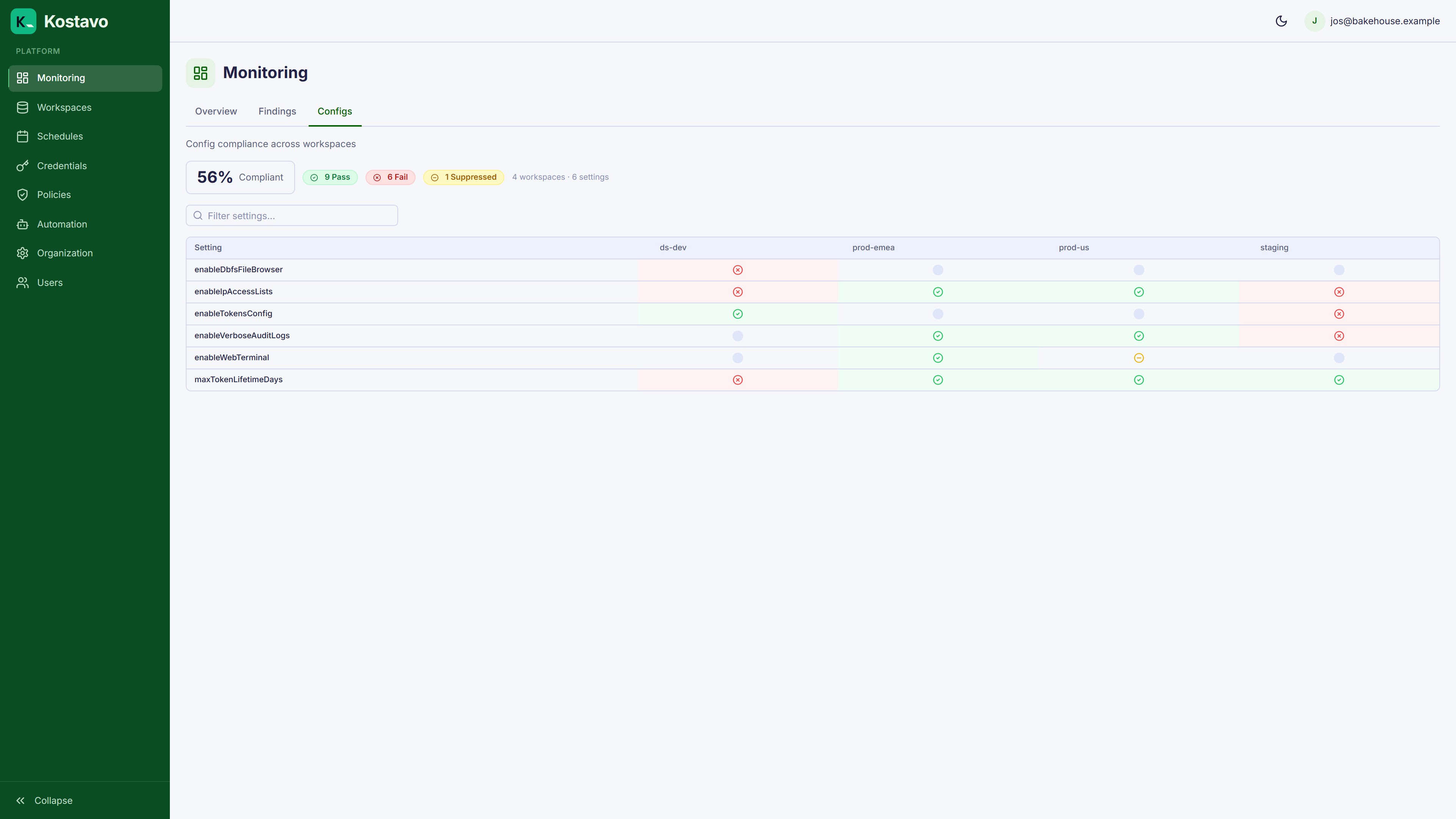
Monitoring → Configs shows per-setting compliance across workspaces: which settings match the baseline and which have drifted, with the expected and actual values side by side.
The Config Matrix
Policies → Config Matrix is the estate-wide view: settings as rows, workspaces as columns. It answers "which workspaces still have the web terminal enabled" in one glance instead of one workspace at a time.
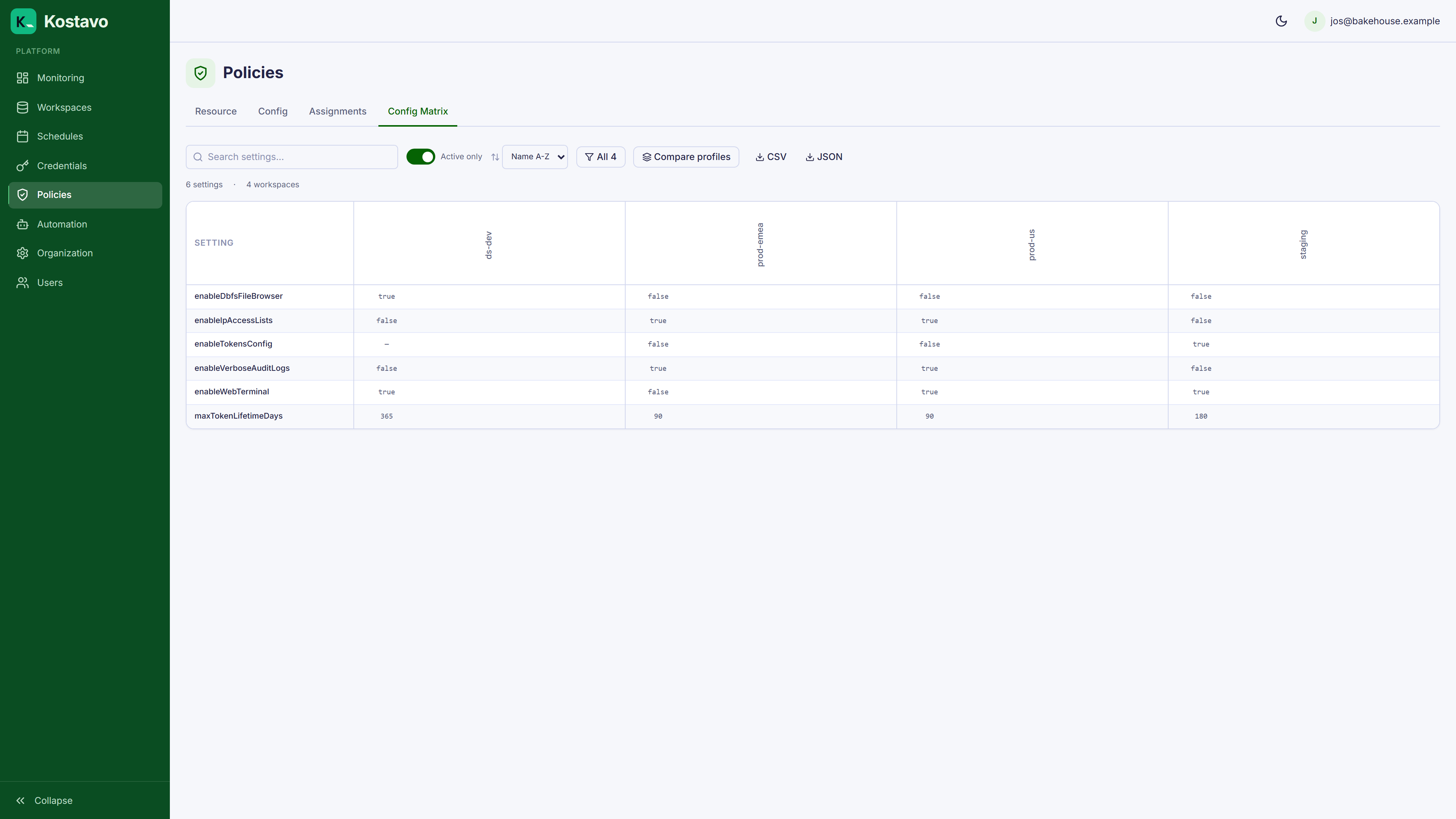
Use the matrix when planning a baseline change: you see the blast radius before you commit it.
Baselines Change Too
Update the baseline whenever your standard changes; the next scan re-evaluates every assigned workspace against the new values. Expect a wave of findings after tightening a baseline. That wave is the point: it is your work queue for bringing the estate in line.
Related
- Guide: Create a configuration baseline builds one end to end
- Concept: Policy profiles for the resource policy side
- Concept: Findings for the lifecycle drift findings follow
- Getting started: Dashboard tour for where Configs sits in Monitoring