Users and Roles
Kostavo uses role-based access control scoped to your organization. There are three roles.
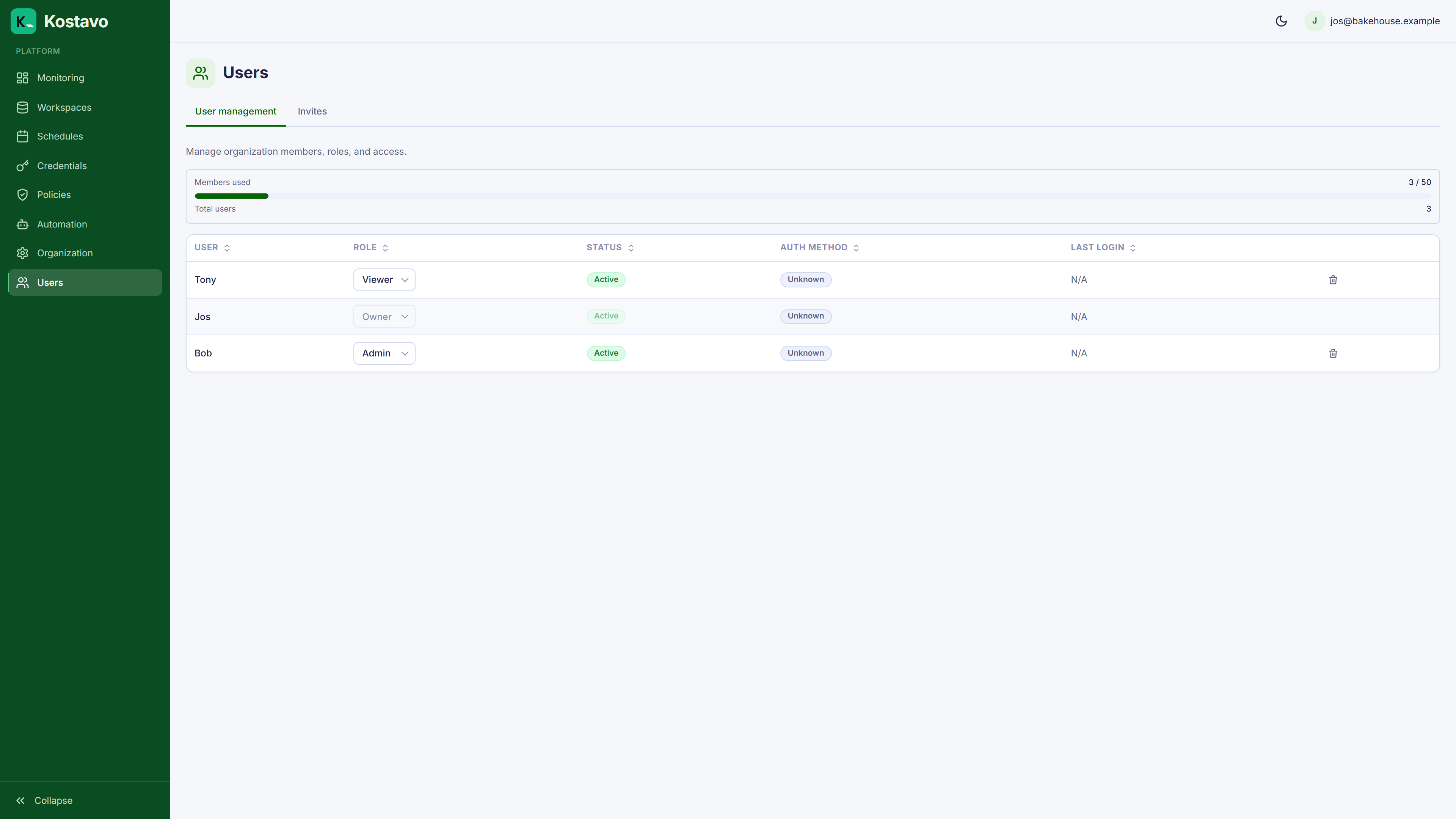
Roles
| Role | Permissions |
|---|---|
| Viewer | Read-only. View dashboards, findings, execution history, and all configuration. |
| Admin | Everything in Viewer, plus manage governance configuration (credentials, workspaces, profiles, assignments, schedules, tag rules, notification channels), organization settings, tags, and users. |
| Owner | Everything in Admin, plus transferring ownership. |
Every organization has at least one Owner. The last Owner cannot be demoted or removed; transfer ownership first (the previous Owner becomes an Admin).
Key point: there is no separate "editor" role. Anyone who should change governance configuration needs Admin.
Inviting Users
Admins and Owners can invite new users from Users → Invites:
- Click Send invitation
- Enter the email address
- Pick a role
- If both password and Microsoft sign-in are enabled for your organization, choose which method the invitee will use
- Send
The recipient gets an email with a link. When they accept, they go through the selected sign-in flow and join your organization with the assigned role. Pending invitations count against a per-plan limit and can be revoked before they are redeemed.
If SSO is enforced and guest users are disabled, the Invites tab is hidden: all users are provisioned through SSO or directory sync instead. See Enterprise SSO and SCIM.
Managing Users
From Users → Management, Admins and Owners can:
- Change roles: promote or demote a member
- Deactivate: disable a member's access without deleting them
- Remove: take a member out of the organization
The Users section only appears for Admins and Owners. On plans limited to a single user it is hidden entirely; see Billing and tiers.
Authentication Options
| Method | Availability |
|---|---|
| Email + Password | All plans |
| Microsoft work account | All plans |
| SAML/OIDC SSO (Entra, Okta) | Enterprise |
| Directory sync (SCIM) | Enterprise add-on |
SSO and directory sync are configured in Organization → Enterprise. See the Enterprise SSO and SCIM guide for setup and Billing and tiers for pricing.
Related
- Guide: Enterprise SSO and SCIM
- Getting started: Authentication covers signup, login, and invites
- Reference: Billing and tiers